
Browser Compatibility
Chrome, Safari and Firefox on recent Android and iOS builds all load the lobby correctly. Older browser versions may miss certain live-table animations — update your browser if tiles appear blank.
The hm7777 app brings live casino tables, crash games and sports markets — including cricket and PSL — straight to your phone screen, available where local law permits.

The mobile experience on hm7777 runs through a browser-first architecture, which means most modern phones handle it without extra configuration. A few things are worth confirming on your device before you start a live session or place a betslip.
Chrome, Safari and Firefox on recent Android and iOS builds all load the lobby correctly. Older browser versions may miss certain live-table animations — update your browser if tiles appear blank.
The app and browser version both reflow for screens from compact phones to tablets. Portrait mode works for slots and crash games; landscape gives a wider view for live dealer tables like Teen Patti Round.
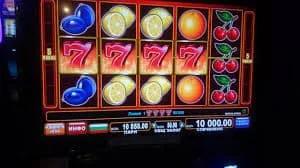
You need a verified hm7777 account to access any real-money game. Wallet funding via JazzCash, Easypaisa or Raast is confirmed at the deposit screen before a session starts.
Open the app or mobile browser and your account picks up exactly where you left off — mid-session on Crash Thunder, between rounds of Teen Patti PlayNow, or checking a live cricket betslip. Push notifications tell you when a match market opens or a slot feature triggers. Quick deposit shortcuts keep JazzCash, Easypaisa and Raast a single tap away from your wallet
screen. Fingerprint login means you skip the password every time you return. The layout shifts cleanly between portrait and landscape, so whether you are on the train or back at your desk, the same session continues without reload.
There is no complicated setup. Whether hm7777 publishes a native app build or you access through your mobile browser, the path to your account is straightforward. Check our site for any current app download we have released — if one is available, the download link appears on the homepage. If not, the mobile browser version carries every feature including live tables, slots
and the sportsbook. Your existing account and wallet balance work across both access paths without any separate registration.
These are the specific features that change how you move through the hm7777 lobby on mobile — from the moment you unlock your phone to the point you place a bet or cash out a round.
Skip the password on every return visit. Biometric login loads your account in seconds, keeping your session continuous across devices without re-entering credentials each time.
Receive alerts when a live cricket market opens, when a table seat becomes available, or when a Slot Tornado feature round activates — straight to your lock screen.
The app switches to a darker palette at night, cutting glare during late sessions on live Blackjack Livebets or Football Betblitz without straining your eyes.
Browse game tiles, check bet history and review your wallet balance even with a weak signal. Full game launch needs a connection, but navigation stays responsive.
If you have a question about downloading, logging in or what the hm7777 app covers on your device, the answers below cover the situations we hear about most.
Service availability depends on eligible regions and local law. Users should check local rules before opening an account.
Access may be available only where local law permits.